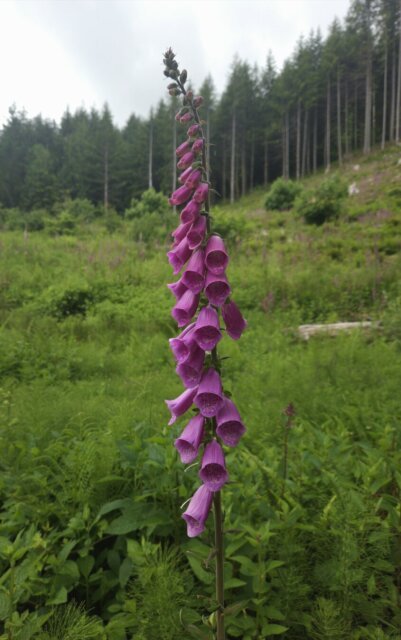
I've noticed that my Pixelfed uploads don't seem to be reflecting any of my post-processing—colors look flat, etc. This photo of foxglove is brighter and more colorful on my phone and tablet than it appears in my last Pixelfed post. (The version you see here is a screenshot of the image from my tablet.) I think this has something to do with my photography flow, and I'm hoping someone out there has a fix for me... Here's what that flow looks like for me: 1) Capture image in RAW format. 2) Edit image using the Samsung Gallery app. RAW image is automatically converted to JPEG upon saving the edit. 3) Use Android Quick Share to send file to Windows device to post to Pixelfed at later date. Lately, I've been using the "Automatically convert images..." option to convert "P3" images to "sRGB" in the hope that the color profile was the issue...but, no, that doesn't seem to be help. Anybody know what's going on here? Have a suggestion for resolving this issue that doesn't push my post-processing flow to my Windows PC? (It's much more convenient for me to be able to edit photos on my Android tablet.) #Photography #PhotographyTips #MobilePhotography #MobilePhotographyTips #Pixelfed #PostProcessing

savvdm
I have noticed that pixelfed re-compresses uploaded images, even if the image is already reasonably small. It appears to do chroma subsampling (https://en.wikipedia.org/wiki/Chroma_subsampling) when compressing images, which lowers the resulting quality. Mastodon seem to be better in its image handling, which is indeed quite surprising.